
核心提示:常规html//html中的内容很简单p id=main style=width: 600px;height:400px;/pjs库导入//导入相关脚本script type=text/ src=sc...
常规
html
//html中的内容很简单
<p id="main" style="width: 600px;height:400px;"></p>
js库导入
//导入相关脚本
<script type="text/javascript" src="script/echarts.simple.min.js"></script>
js
//基于准备好的dom,初始化echarts实例
var myChart = echarts.init(document.getElementById('main'));

$.post("JsonTest",{},function(json){
    myChart.setOption({
        tooltip:{
            trigger:'axis',
        },
        legend: {
            data:['排名']
        },
        xAxis: {
            position:'top',
            data: ["第一学期","第二学期","第三学期","第四学期","第五学期","第六学期","第七学期","第八学期"],
            axisTick:{
                show:true,
                interval:0,
                alignWithLabel:true,
            },
            axisLabel:{
                interval:0,
            }
        },
        yAxis: {
            name:'名次',
            nameLocation:'middle',
            nameGap:30,
            inverse:true,
        },
        series: [{
            name: '排名',
            type: 'line',
            //这个数组是具体的数据值
            data: json.data,
            itemStyle : { normal: {label : {show: true}}},
        }]
    });
},"json");
后台数据
protected void doPost(HttpServletRequest request, HttpServletResponse response) throws ServletException, IOException {
    //返回的数据
    int [] arr = {1,2,3,4,5,6,7,8};
    //JSON对象
    JSONObject obj = new JSONObject();
    obj.element("data", arr);
    //输出
    response.getWriter().write(obj.toString());
}
注意
自己在实际操作中调试了很久,最后发现要在ajax的调用中制定返回数据是json,特别在此说出来
$.post("JsonTest",{},function(json){
……});
上面这个代码一直调试不通
alert(json.data)
这段代码执行后,显示一直是undefined,经过修改
$.post("JsonTest",{},function(json){
……},"json");
则可以成功运行
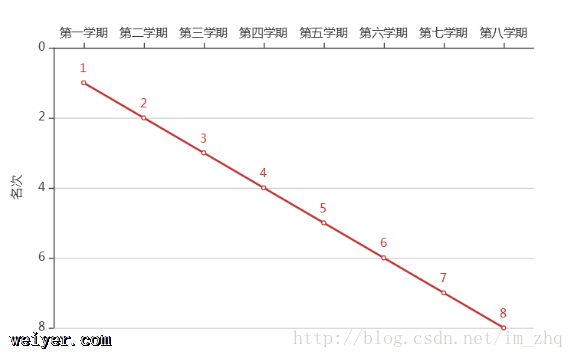
效果